- Forum
- Our Servers
-
Leaderboards
-
DarkRP
- DarkRP Gangs
- DarkRP Money Printed
- DarkRP Suit RIPs
- DarkRP Mayor Survival
- DarkRP Nuclear Launches
- DarkRP Bank Vault Raids
- DarkRP Bartender Tips
- DarkRP Air Drops
- DarkRP Casino Vault Raids
- DarkRP Drug Runs
- DarkRP Arena Events
- Police Armory Raids
- Bartender Customers Served
- Police RIPs
- DarkRP GENCoin Sold
- Surf Records
- BHOP Records
- Trouble in Terrorist Town
- Deathrun
- Prop Hunt
-
DarkRP
- Community
- Help
- Store
|
Login to ZARP
|
TOPIC: [SSRP Admin] Sorle's application [FOR 6/5/17]
[SSRP Admin] Sorle's application [FOR 6/5/17] 9 years 4 months ago #547654

User related: RP Name: |O| Sorle Link to Steam Profile: Sorle SteamID: STEAM_0:0:51990442 Current Gametracker Profiles: Server 1 Server 2 Server 3 Age: 14. Estimated Server Time: 1300/1400 hours. Languages I speak: English, small amounts of French, and small amounts of Greek. 
Promotion related: Explain how you feel that your time as a moderator will contribute to you becoming an admin. This time is important for any moderator becoming admin, as this allows them to learn many things about handling sits, how and when to punish users, extra details about the rules etc. My time as moderator over this week and the other two times I was moderator has made me learn a lot of things stated above. From this time period, I have learnt the full rules in and out down to the punctuation marks, and made many friends. After being moderator for this time, I feel that I would be a good addition to the admin team as I'm relatively experienced. Explain a situation as a moderator you encountered that was an obstacle you had to work around (EG: defiant user). As a moderator, there have been many situations which would've been made much easier if I possessed the rank of admin. An example of this is the ongoing situation on server 3. I have almost been forced to stop playing server 3, even with my moderator rank, because at the end of the day, the most I can do is warn and kick when no other admins are active. There is currently a constant stream of rulebreakers pouring into server 3 and I almost feel helpless, as if their intention is to rulebreak, then giving a warning will make no real difference. If I were to gain the rank of admin, I would be able to help out a large amount and improve the overall experience for everyone on the server. If you had to write a Facebook post to train a moderator in between 200-300 words, what would you say to give them the full grasp? Warning: Spoiler! [ Click to expand ][ Click to hide ] First of all, congratulations on getting moderator! I will be training you in this post. Firstly, I'd like to introduce you to the F1 system. Upon pressing F1, you will be shown a menu with multiple options on it. The first one we will be looking at is Admin Requests. From here you can see all the admin requestss that are unhandled/currently being handled: 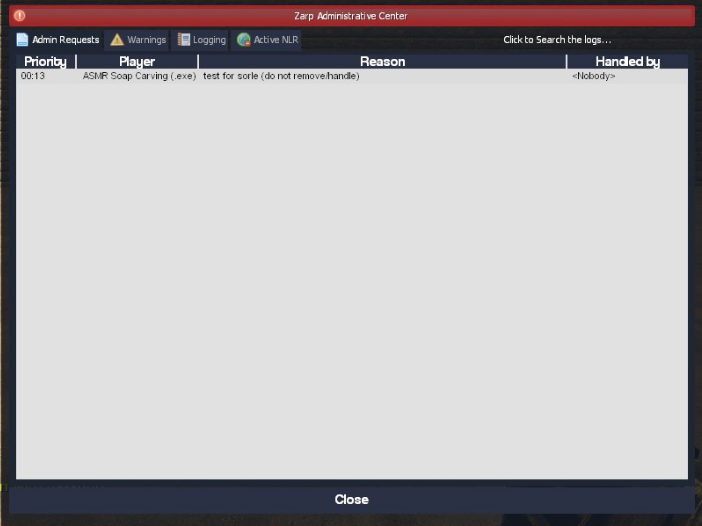
If you right click on the admin request, you get a menu with multiple options: 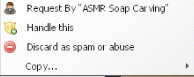
"Handle this" is used if you want to claim this admin request and do it. "Discard as spam or abuse" is used if you feel that the admin request is just a troll or spam. This deletes the admin request. "Copy" brings up another menu where you can copy the reason for the admin request, the reporter's name, or their SteamID. Upon clicking "Handle this", you are brought up with some more options: 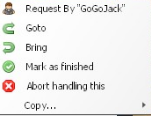
Clicking "Goto" will teleport you to their location. Clicking "Bring" will teleport them to your location. Clicking "Mark as finished" will finish the admin request. This adds to the amount of admin requests you've completed. A good amount of admin requests to complete per week is 40. Clicking "Abort handling this" will mark the admin request as unclaimed and allow other staff members to claim it. This is also good if it turns out that the admin request was only intended for trolling and you need to mark it as spam. Next I will go over the Warnings tab. 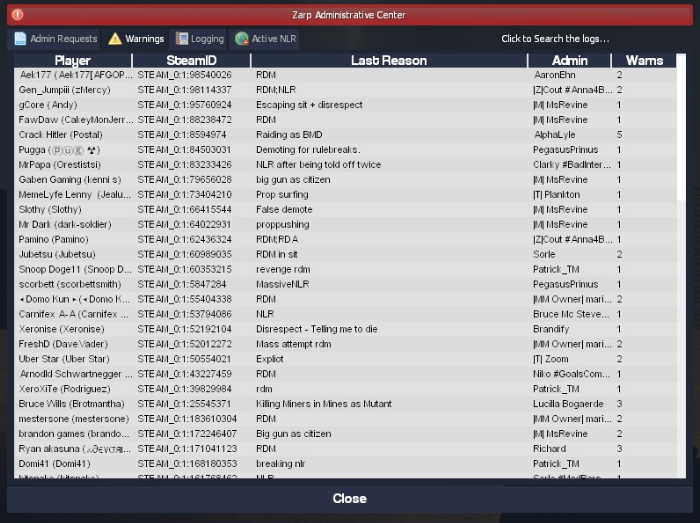
From here, you can check warnings that were given since the server was last restarted. Upon right-clicking a warning, a menu shows up: 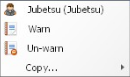
Clicking "Warn" will allow you to warn the user again if they are on the server. Clicking "Un-warn" will allow you to remove this warning from the user's active warnings, however this does not remove it from their rap sheet. NEVER use this on someone else's warn unless they have given you direct permission to do so. Mousing over "Copy" will bring up another member which allows you to copy the name of the warned user, the SteamID of the warned user, the name of the staff member who warned them, or the SteamID of the staff member who warned them. Now, we will be moving on to the Logging tab. In the Logging tab, a lot of things are shown, including, but not limited to, kills, deaths, arrests, hits, disconnects etc. within the past 10 minutes: 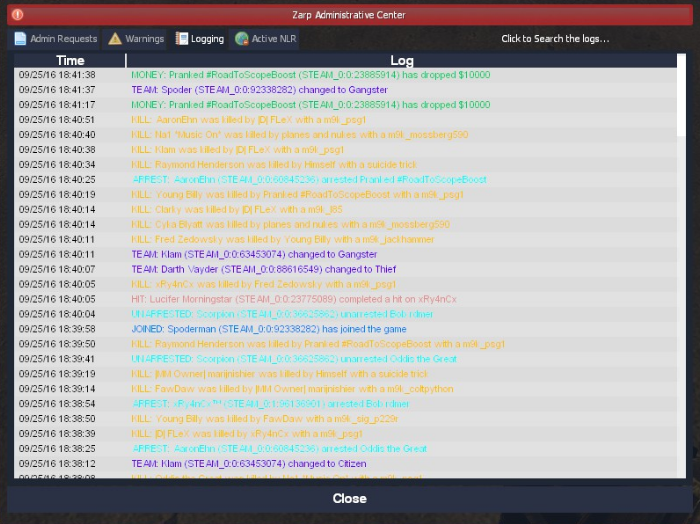
Upon right-clicking one of the logs, a menu is shown: 
Clicking "Time" will copy the time that the logged action occurred. Clicking "Player Information" will copy the player's name and SteamID. If the log is of someone being killed/arrested, it will copy the information of the victim. Clicking "Full Log" will copy the entire line. The final thing I will go over in the F1 menu is the Active NLR tab. This shows the currently active NLR of all players and the district it is in, this is relatively self-explanatory: 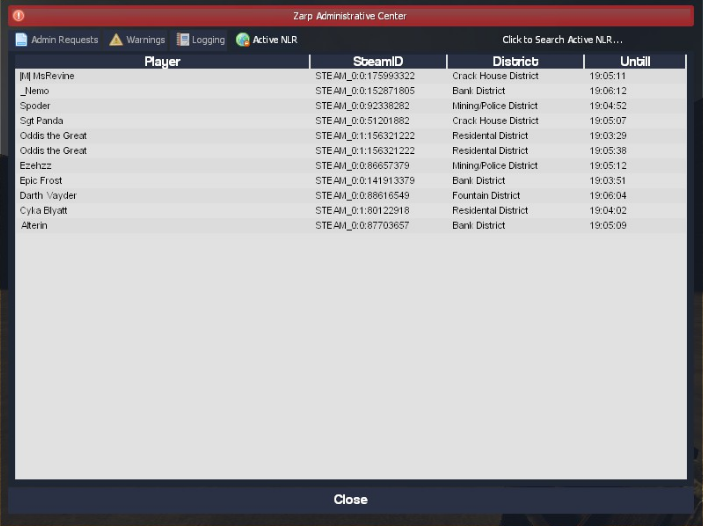
Now that I have explained the F1 menu, I am going to go over the F6 menu. The purpose of the F6 menu is to show all of the punishment a player you select has received: 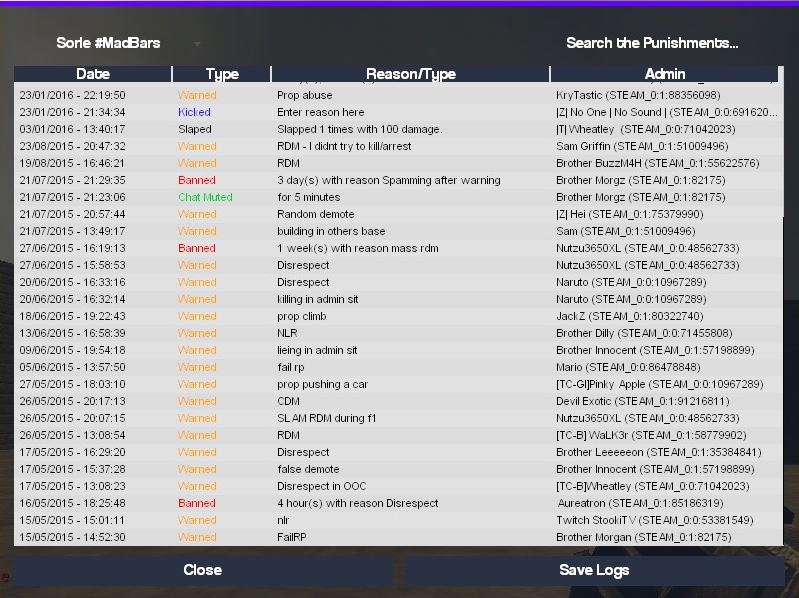
You can select a player in the drop-down menu in the top left: 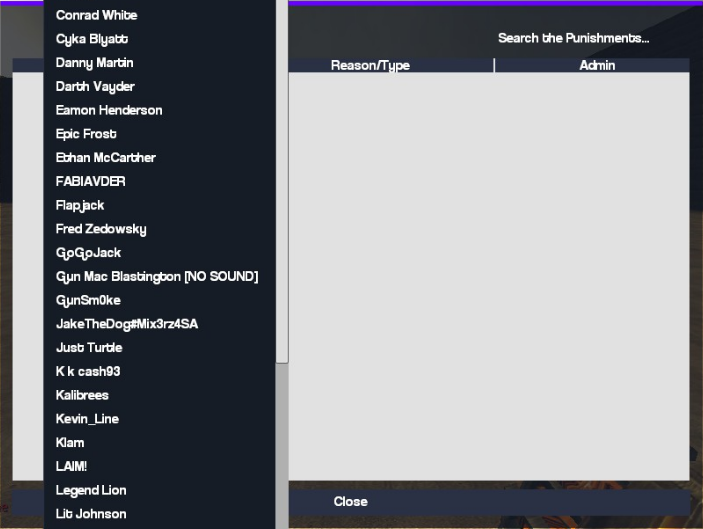
You can also search by SteamID in the top right: 
Now that I have gone over the F6 tab, I will be going over the commands. /teleport or /tp [Player Name/SteamID] - Teleports a player to where you are looking(Not including a name/SteamID will teleport you to the target location.) /goto [Name/SteamID] - Teleports you to the specified. player. /bring [Name/SteamID] - Teleports the specified player to your current location. /back [Name/SteamID] - Teleports the specified player to their previous location before being TPed.. (Not including a name/Steam ID will teleport you.) /backspawn [Name/SteamID] - Teleports the specified player to spawn. (Not including a name/Steam ID will teleport you.) /kick [Name/SteamID] [Reason] - Kicks the specified player with a reason. /freeze [Name/SteamID] [time] - Freezes the specified player for the specified time in seconds. (Not including an amount of time will freeze the specified player indefinitely.) /unfreeze [Name/SteamID] - Unfreezes the specified player. /chatmute [Name/SteamID] [time] - Chat mutes the specified player for the specified time in seconds. (Not including an amount of time will chat mute the specified player indefinitely.) /unchatmute [Name/SteamID] - Un-chat mutes the specified player. /voicemute [Name/SteamID] [time] - Voice mutes the specified player for the specified time in seconds. (Not including an amount of time will voice mute the specified player indefinitely.) /unvoicemute [Name/SteamID] - Un-voice mutes the specified player. Last but not least, remember to read the Staff Ethos. If you still have any questions, feel free to add me on Steam. Good luck! Explain how you would handle the following situation: Player X appeals their ban in great detail, apology and effort. You check the ban list and find that you banned them permanently for propspam, and that this is their first ban. How would your response to the appeal be? Hello Player X, I have checked the bans and it turns out I have banned you for propspam. However, I would be more than willing to give you another chance, due to the evident effort you've put into your appeal and how sorry you seem to be. One thing I would like to add is if that if you are unbanned and you do something like this again, you will not be unbanned again. I am not able to handle this appeal as it is one of my bans, but if an admin+ would like to handle this, you can use this post to come to a verdict. Why I should be promoted (we recommend around 150 words):. Some people may believe I'm not ready, as I've just come back and got moderator. I got unbanned from the community on the 21st of March, and since then, I have taken massive steps towards improving my overall attitude and knowledge of the rules. I feel like the ban was an eye opener to me, as it allowed me to realise that I can't just do whatever I want and get away with it. From this, I have matured. I have developed as a person, which has allowed me to gain the rank of moderator. Using this rank of moderator, I feel like I can give back what I owe to the community, however the amount I could give back using the power gained as administrator would increase exponentially. I consider myself good at handling F1's, making sure each one is completed with care and caution. In my first week, I have completed 100 F1's, and this number will only increase throughout the coming week. With my vast amount of experience being staff in the past, I feel as if I am ready to take this jump and move up to the rank of administrator. Many thanks, ~Sorle Feedback on my application would be very appreciated. |
|
|
ex-dog LT member on many servers
The topic has been locked.
|



[SSRP Admin] Sorle's application [FOR 6/5/17] 9 years 4 months ago #547658
|
I don't have administrator privileges to access this application.
+support |
|

The topic has been locked.
The following user said Thank You: SorIe
|


[SSRP Admin] Sorle's application [FOR 6/5/17] 9 years 4 months ago #547660
 |
|
|
Former Deathrun Owner & more
FP DarkRP Head Admin
Edited 9 years 4 months ago by Hellsdevil.
The topic has been locked.
The following user said Thank You: SorIe
|


[SSRP Admin] Sorle's application [FOR 6/5/17] 9 years 4 months ago #547675
|
If the application is reviewed tonight then that's alright I guess, will probably get denied but whatever.
|
|
|
ex-dog LT member on many servers
The topic has been locked.
|
[SSRP Admin] Sorle's application [FOR 6/5/17] 9 years 4 months ago #547810

Thanks for applying for staff at ZARP DarkRp! During our weekly staff meeting your application, question answers, game trackers and in-game warnings are checked and then the staff team votes on your application. This time, the staff team have decided that you still need to work on your application and then apply again next week. To try and help you they have summarised some positives & negatives discussed during the meeting: We feel that you need more time as a moderator.You can apply again at any time, and thanks for supporting ZARP! 
|
|
|
The topic has been locked.
|


Time to create page: 0.150 seconds
117 PLAYERS ONLINE

 DarkRP 1
0/127
Online
Deathrun
0/40
Online
TTT
0/47
Online
Bhop
0/32
Online
Surf
3/32
Online
Prop Hunt
0/42
Online
Sandbox
0/42
Online
 Discord
114/1026
Online