Details
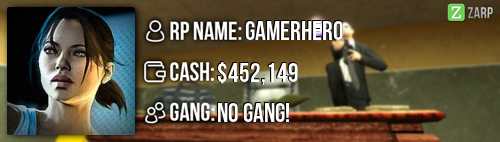
RP Name |Z| Gamerhero
Link to Steam Profile steamcommunity.com/profiles/76561198180975726/
SteamID STEAM_0:0:110354999
Current Gametracker Profiles
Server 1 - S1
Server 2 - S2
Server 3 - S3
Age 14 Years Of Age
Estimated Server Time 347HRS++
Languages I speak English
Promotion Related
Explain how you feel that your time as a moderator will contribute to you becoming an admin.
My time as a Moderator I have gained a lot of experience as a moderator and I have learned a lot of stuff. I feel that I help Zarp a lot when most staff are offline. I handle many sits(F1s) and I know all the commands as a Moderator and I'm responsible enough to handle mostly any sits.
Explain a situation as a moderator you encountered that was an obstacle you had to work around (EG: defiant user). Yes there ways this one time when I caught someone basing out side of the map and printing out of the map and I was waiting almost 1 hour for a admin to get on the server.. but i took SS and send it to one of the admins and I grabbed there steamID
If you had to write a facebook post to train a moderator in between 200-300 words, what would you say to give them the full grasp?
Before we start anything I just want to say Congratulations on becoming a moderator, and today I will be teaching you the commands as a moderator that you need to know.
 F1 Menu
If you press F1 it will bring you to a menu that shows all the players that requested for help. It will show the TIme/Reason and If you click on the players request it will allow you to Goto/Bring to the player easily. And you can tell if theres a unhandle F1 at the bottom left on your screen.
You can warn someone if someone breaks rules. You can warn someone by doing /warn [Name/SteamID] [Reason] And if you didnt mean to warn someone or you warn someone by mistake you can do /warn [Name/SteamID] [Reason]
If you press F6 it will bring you to a menu where you can check people recent warnings or punishments if you click on a player name it will show you all of his/her punishments.
Teleport
/tp - Allows you to teleport to the position your looking at.
/Goto [Player Name/Steamid] - this command will bring you to who ever you teleport to.
/Bring [Player Name/Steamid] - This will teleport the target to yourself.
/Back [Player Name/Steamid] or /Backspawn - this command allows you to return the target where he/her left off after a sit or something.
Things you need to know
/freeze [Player Name/Steamid] - Allows you to freeze the target
/unfreeze [Player Name/Steamid] - This will Unfreeze the target
/kick [Player Name/Steamid] - This will allow you to kick someone with a reason if a admin is not around.
Player x appeals their ban in great detail, apology and effort. You check the ban list and find that you banned them permanently for propspam, and that this is their first ban. How would your response to the appeal be?
Hello Player x, I have read you're unban appeal and you have ban for PropSpamming. I will give you another chance because this is you're first ban and you are really sorry for what you did but if you do need any help be sure to contact a staff member on teamspeak (ts.zarpgaming.com) but be sure to read the
Rules. Be sure to click rules to read the all the rules.
 Why I should be promoted (we recommend around 150 words).
I should be promoted because I'm a active member, I work hard on the servers of Zarp when I can get a chance to. And I'm really experienced with the admin/moderator commands and I know what to do when I'm handling a tough issues and some of the mods told me that I should apply for admin because I have been working hard as my job as a moderator. And I have been interacting with most of the staff team and I feel that I have been trusted. But the main reason why I should be promoted is because when I'm online most of the staff are offline and when I joined server 1 I remember and I see people propspaming or mass rule break and I cant really do anything about it but all I can do is call a admin or kick/warn but when I'm online most of the staff are asleep or busy. And I have been a mod for a long time now and I think i have proven my self to the staff team that I work hard as a staff member to help out the server . And I have improve my f1 a lot since last week. So this is why I should be promoted.






 from me!

















 DarkRP 1
  Discord