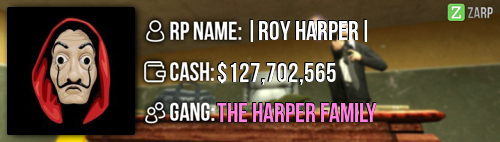
RP Name Skill
Link to Steam Profile steamcommunity.com/profiles/76561198081283552/
SteamID STEAM_0:0:60508912
Current Gametracker Profiles
Server 1 - www.gametracker.com/player/Skill/darkrp.zarpgaming.com:27015/
Server 2 - www.gametracker.com/player/Skill/darkrp.zarpgaming.com:27025/
Server 3 - www.gametracker.com/player/Skill/usa.zarpgaming.com:27015/
Age 16
Estimated Server Time 263 Hours
Languages I speak Polish and English
Explain how you feel that your time as a moderator will contribute to you becoming an admin. As a moderator, i am expected to help people out and stop rulebreakers from breaking rules. Most moderators wanted to become staff members so that can prevent RDM's and NLR's that happen to them and dont help out the whole community, i however completed 100+ F1's in the first 4 days of becoming a moderator. I feel like i deserve a higher rank so i can deal with more situations such as Mass RDMers and PropSpammers. I learnt all the commands in under a few hours as i am a fast learner and have a good memory, this means that i can also learn the admin commands and perfect them in under a day.
Explain a situation as a moderator you encountered that was an obstacle you had to work around (EG: defiant user). As a moderator, i lack the ability to ban users. Server 3 usually lacks administrators which is a serious problem when some individual is attempting to Mass RDM or Propspam. I have came across multiple situations in which someone prop spams when there aren't any admins on to deal with it, which means i had to deal with it my self. As the only command i can really use to prevent them from prop spamming is kick, i had to kick that individual to remove his props, but obviously he comes back and continues, so i decided to keep kicking him every time he joins the server until an administrator comes online.
If you had to write a facebook post to train a moderator in between 200-300 words, what would you say to give them the full grasp?
Congratulations on your promotion, and welcome to the staff community.
This post will teach you all the necessary commands you will need to learn to be moderating correctly. If you hold tab and press somebody's name, you will see multiple commands, some are moderator commands are some aren't (these that arent can be accessed by regular users. Such commands are: mute for yourself, etc.)
Kick: The kick command will simply kick a user out of the server. After using the kick command, an interface will pop up and you will require to write a reason why you are kicking them. If someone broke a rule like RDM for example, it is not a good enough reason to kick them, however if somebody Mass RDM's and there isnt any administrators+ online then it is up to you to get rid of them and contact a higher-up as soon as possible with valid evidence. Kicking is also useful when someone prop blocks a district and refuses to remove their props (first you give them a few verbal warnings that they will get kicked if they dont remove the props though).
Mute Chat: This command will mute a user's chat for how long you select. If someone is spamming the chat or using racist slurs constantly, you have the option to mute them. However is someone says a message around 4 times (maybe accidently with a bind) then give them a verbal warning, if it continues then feel free to mute them.
Unban from Job: This command will unban a user from a job they have been demoted from. If a miner gets killed and demoted for not mining and makes an F1 about it, they will be expecting an unban from the miner job, which is fine to do. However is someone for whatever reason got demoted for mass rdm (which you witnessed) and there was no admins online to cancel the demotion (you cannot demote for rulebreaks) then it is probably for the best that you keep them banned for that job until an admin gets online so they can ban the user (if there is valid evidence of course).
Freeze: This command will freeze a player in place, preventing them from any movement. If a player is Mass RDMing or Mass NLRing then you can freeze them and bring them on a rooftop so they can explain themselves. You could also use the Freeze command to stop Prop Pushers/ Climbers/ Surfers. If you freeze them then you are expected to tell them they cant do that. You then have a choice to either give them a verbal warning or actually warn them.
Slay: This command will send a player to spawn in a very fashionable way (by killing them). It can be used is someone is breaking NLR to prevent being raided or a citizen with a big gun who refuses to get rid of it. There are 4 options to the slay command; Silent, Regular, Explosive and Rocket. It is pretty much the same thing, just looks different. It doesnt matter which option you choose to slay a player, the important part is that you dont accidently slay the wrong user, as it may lead to a complaint.
Mute Globally: This command will mute a player's voice chat. It is used when somebody is mic spamming and they have received verbal warnings to stop. You can choose for how long they will be muted for ( the situation depends on how long the mute should last).
Teleport/Go To/Bring/Back: These 4 commands are essentialy the topic, so i will count them as one. Teleport will teleport the selected user right in front of you (where you are looking at), it is used to bring people to a rooftop for sits for example. Go to will simply teleport you to that player. If someone calls out that they're stuck then you can go to them and get them unstuck. Bring teleports that player to any player that you select out of the list, if you want that user to be teleported to you, then you can select yourself (top of the list). Lastly back, you will have a selection of 'last location' and 'spawn'. The last location will teleport them to their last location before they have been teleported. Spawn will simply teleport them to spawn. If someone is breaking NLR and you tell them to leave the district and they dont, you can send them spawn (unless the nlr is in spawn) or to a nearby district.
Warn: The warning system is to discourage users to break rules. You will distribute warnings often when a player broke a rule/ multiple rules. You are given an option to either warn them or give them a verbal warning, it really depends on the situation. To warn a player, you can do /warn (STEAM ID) (REASON). To get a player's steam ID, you can simply hold tab, go to their name and under their profile pic, there will be their steam id. You can copy it by simply pressing it, which will copy it to your clipboard.
F1 Menu: The F1 menu contains a list of F1's that players have created. To do an F1, you will right click the selected F1 and press 'I'll handle this'. After that, right click it again and you will be given a few helpful commands. You will usually want to press Go To, get them to explain what happened then bring them to a rooftop to sort the situation out. If for some example the F1 is something which doesnt require staff help such as 'can someone give me some money' then feel free to mark it as spam. When pressing F1, you will be able to view the warnings (which is never actually used by moderators). You will also be able to view the logs, which show deaths, car scraps, defibs, Nlr breaks, disconnects/connects, job changes, demotes and a few other useful things. You will almost always be using the Logs to handle with sits. If a player claims they have been RDM'd and the accused player said they got shot first then you will require valid evidence from any of the users that it was RDM, as we dont have Damage logs. Lastly, the Active NLR. It displays all the Active NLR's that players have in districts, it doesnt however show if a player is breaking NLR, which is a slight downfall. {extra} by pressing F6, you will be able to view all the warnings that a player has. There will be a list, which you can use to find a player and view their warnings. If the player isnt online then scroll all the way to the bottom press 'Search' and enter a Steam ID.
This is Everything you need to know about the commands, and remember, if you require help then feel free to ask a higher-up.
Explain how you would handle the following situation:
Player x appeals their ban in great detail, apology and effort. You check the ban list and find that you banned them permanently for propspam, and that this is their first ban. How would your response to the appeal be? If the player has a very low playtime on our server (which would explain why they have no recent bans), it means they only joined the Server to Propspam and not actually Roleplay, in which case i would explain this and would deny the Unban appeal. However if the player had been playing this server for months and doesnt have any recent bans, i would give them a last chance as it seems to be an act they regret. If a player joins the server to Propspam and get banned, they wouldn't care about it, therefore they would move on. However if a 'veteran' player gets banned for propspam and makes an appeal, it means that they care about the server and want to carry on playing it.
Why I should be promoted (we recommend around 150 words). As a moderator, i have been dealing with F1's non-stop and been helping people out even if it wasn't an F1. In the first 4 days, i have reached 100+ F1's done (which have been pointed out to me by a Super-Admin). This shows that i really care about helping people and deserve to be promoted because as a staff member, we are expected to deal with every rule break, F1 and with any questions people have. I have been really active since i got moderator and have been roleplaying less and going on Duty more which shows i am dedicated to help the server out in any way. I always handle F1's professionally and make sure that all punishments such as warns and kicks, distributed are correctly. I want to become an Administrator so that i can deal with situations which i couldn't have dealt with before.
Thanks :^)
|
-
Skill
-
-
Offline
-
Fresh Boarder
 -

- Posts: 12
- Thanks received: 2
-
Karma: 2
-
|























 from me.




 DarkRP 1
  Discord