|
Login to ZARP
|
|
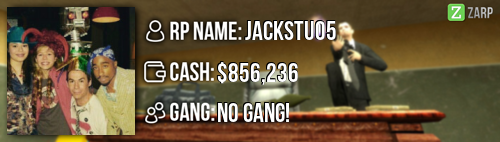
RP Name Jackstu05
Link to Steam Profile steamcommunity.com/profiles/76561198118747060/ SteamID STEAM_0:0:79240666 Current Gametracker Profiles Server 1 - www.gametracker.com/player/jackstu05/play.zarpgaming.com:27015/ Server 2 - www.gametracker.com/player/Jackstu05/play.zarpgaming.com:27025/ Age 13 Estimated Server Time 300 hours + Languages I speak English Explain how you feel that your time as a moderator will contribute to you becoming an admin. i think my time of being a mod i know the rules much better, i know how to handle simple rulebreaks Explain a situation as a moderator you encountered that was an obstacle you had to work around (EG: defiant user). the big problem is someone is mass rdming and you have to go into the tab menu and find the name witch can take a Long time to find the name when you do find the name they have killed 10 people by then If you had to write a facebook post to train a moderator in between 200-300 words, what would you say to give them the full grasp? Hello congratulations on Becoming a Moderator on Zarp. I will tell you all about the commands and what they do lets start off with /tp is a command where you can teleport where your crosshair is or tp Players /goto you use it to go to a player. you type /goto name thats how You use it /back you use it to go back to where you last where. to use you tp to someone then when its over do /back /warn SteamID Reason you sue this to warn a player that has broke a rule you can find there steamID in the tab menu under there name /bring (name) you use this to teleport players to you.you could just use /tp but be careful you could teleport a different player with your player so be casreful whe useing this /kick (playername) you only use this when someone is prop spamming or Mass Rdm if you press f1 a menu will pop up if you look at f1's its a list of all the f1's if you right click it it should say handle this f1 if you click it then right click agian you should see a button called goto Use that most of the time because they could be in a rp situaton.if you look to the left of f1 there is a warning tab if you click it it tells you who Warned them and why.And the last tab the Logs the logs say if someone changed job joined the server got killed. if you just want to talk to admins or other mods put @ or /// to talk in admin chat. Explain how you would handle the following situation: Player x appeals their ban in great detail, apology and effort. You check the ban list and find that you banned them permanently for propspam, and that this is their first ban. How would your response to the appeal be? Hello player y i see you were banned for propspamming witch is very serious this is your first ban so i will make it 48 (2hours) read the rules while you wait. Why I should be promoted (we recommend around 150 words). i should be chosen because i'm good at making the right choices. i would do alot more f1's . i have read the motd very well so i wouldn' t have to stop in the middle of a f1 to read it again. Im able to attent meetings very well i learn very fast so i can become better at what i do. i would be able to help the Zarp darkrp server Realy well Thanks for reading my app |
|
|
Edited 11 years 3 hours ago by Jackstu05.
The topic has been locked.
|
|
Correct me if i am wrong but you haven't been to your first staff meeting right?
|
|
|
Edited 11 years 18 hours ago by Slapy47.
The topic has been locked.
|
|
Slapy47 wrote:
Correct me if i am wrong but you haven't been to your first staff meeting right? i have |
|
|
The topic has been locked.
|
|
Hello jack. I am reviewing you app. here are my Personal opinions.
First of all; How many weeks have you been staff. Just because I forgot Ok. now the results. Positives Warning: Spoiler! [ Click to expand ][ Click to hide ]
Application [ Mostly does not effect overall. ] Warning: Spoiler! [ Click to expand ][ Click to hide ]
Negatives Warning: Spoiler! [ Click to expand ][ Click to hide ]
Advice Warning: Spoiler! [ Click to expand ][ Click to hide ]
OVERALL Warning: Spoiler! [ Click to expand ][ Click to hide ] - / + NEUTRAL GOOD LUCK |
|
|
Edited 11 years 17 hours ago by therealHarris.
The topic has been locked.
|
|
Dont know how to do the colour thing
|
|
|
The topic has been locked.
|
|
Jackstu05 wrote:
Dont know how to do the colour thing At the bar at the top. Only a few away from bold there are square colours, That is the colour panel |
|
|
The topic has been locked.
|
|
Detail is there, gametime and activity is good and from what I've seen, you're a nice guy but I haven't been around to see how you perform as staff.
Application is over-bolded, it looks strange but if you like it, keep it. +Support |
|
|
The topic has been locked.
The following user said Thank You: Jackstu05
|
|
First and foremost, we'd like to thank you for making the effort to apply for a rank on the ZARP Semi Serious DarkRP. Your application has been discussed at an administrative meeting, and from there it has been voted on.
As the number of 'yes' votes exceeded the number of 'no' votes you received, you have been accepted... Towards the bottom there is a button leading you to a download of a 'welcome pack' (moreso intended for new moderators) - this will give you a brief insight into your duty and how to do it, but before we can give you your rank you will have to attend a training session. You can ask any superadmin for your training.. You need to attend a weekly meeting on our Teamspeak server (IP is ts.zarpgaming.com), it would also be appreciated if you can click the banner in my signature and add me on steam so that we can manage the meetings more easily. Congratulations on behalf of the administrative team.
|
|
|
The topic has been locked.
The following user said Thank You: Jackstu05
|